Skynthesis

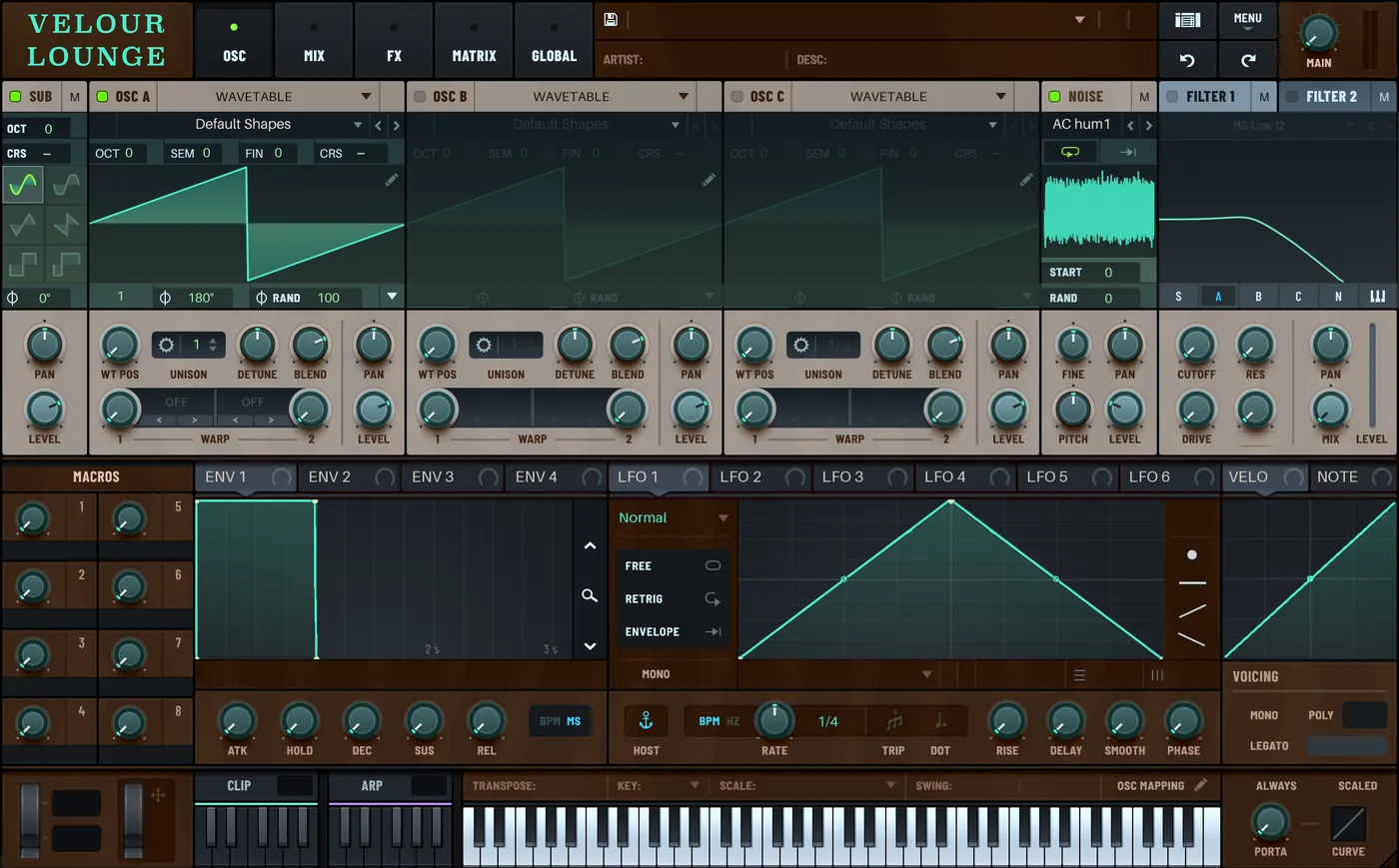
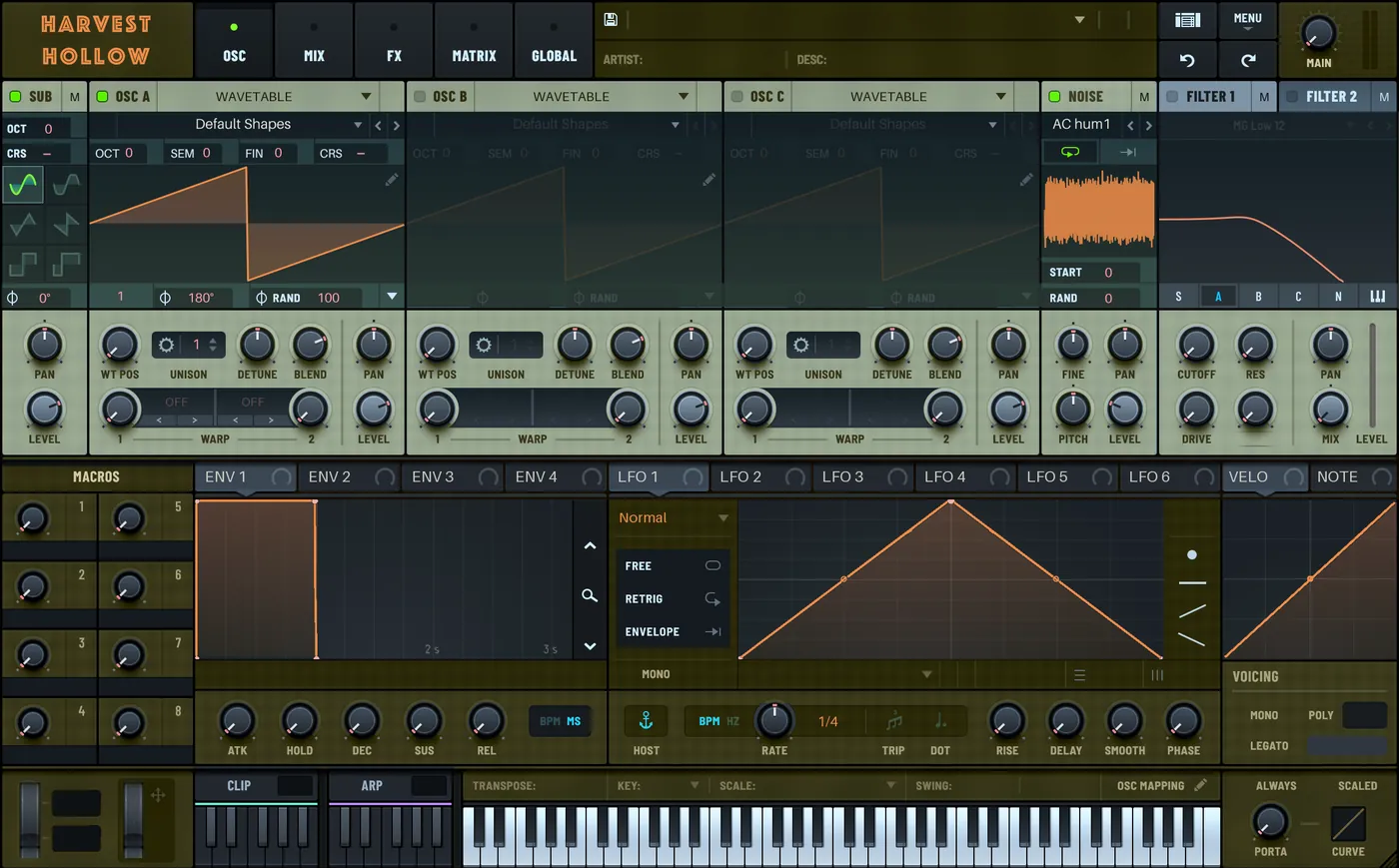
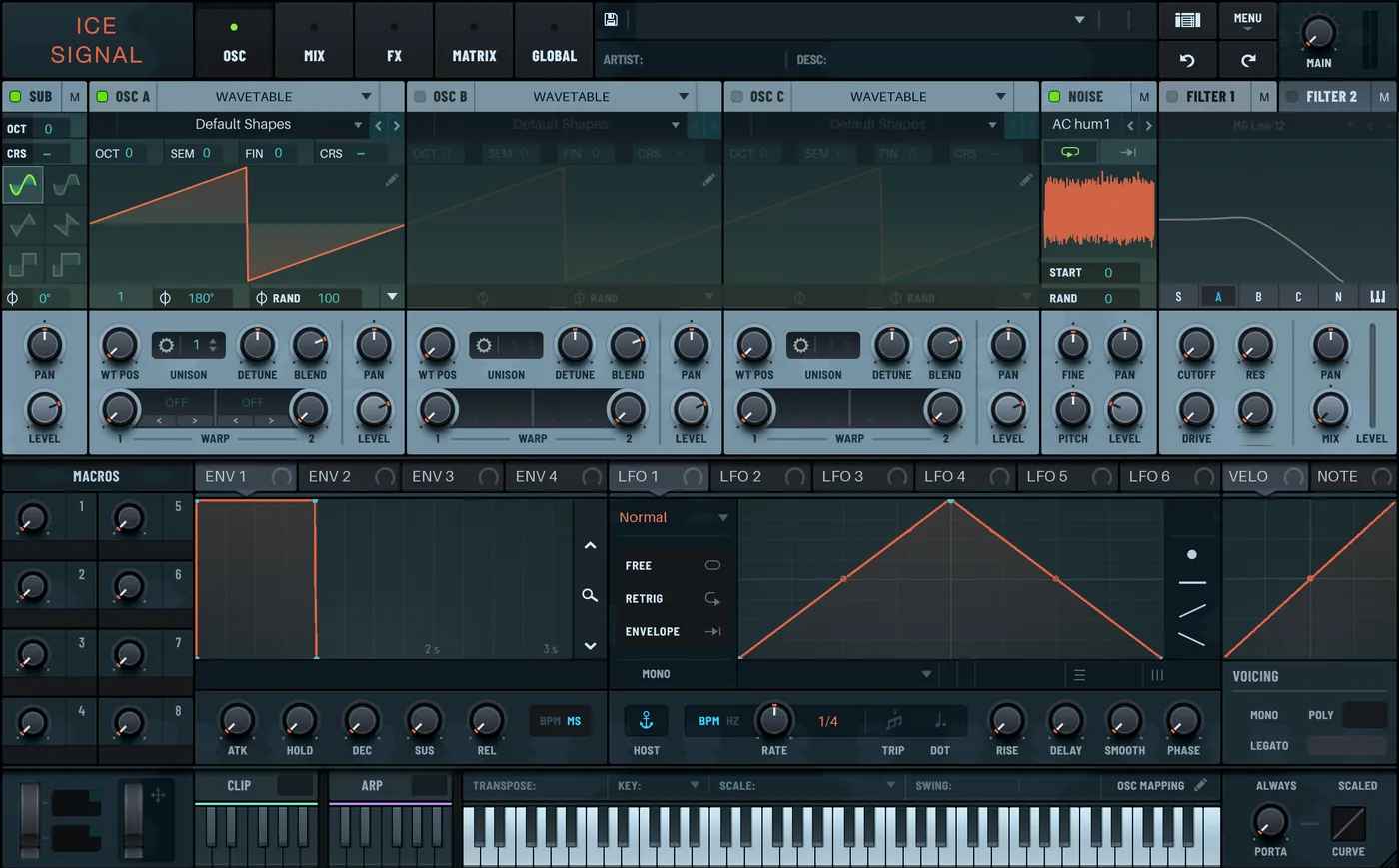
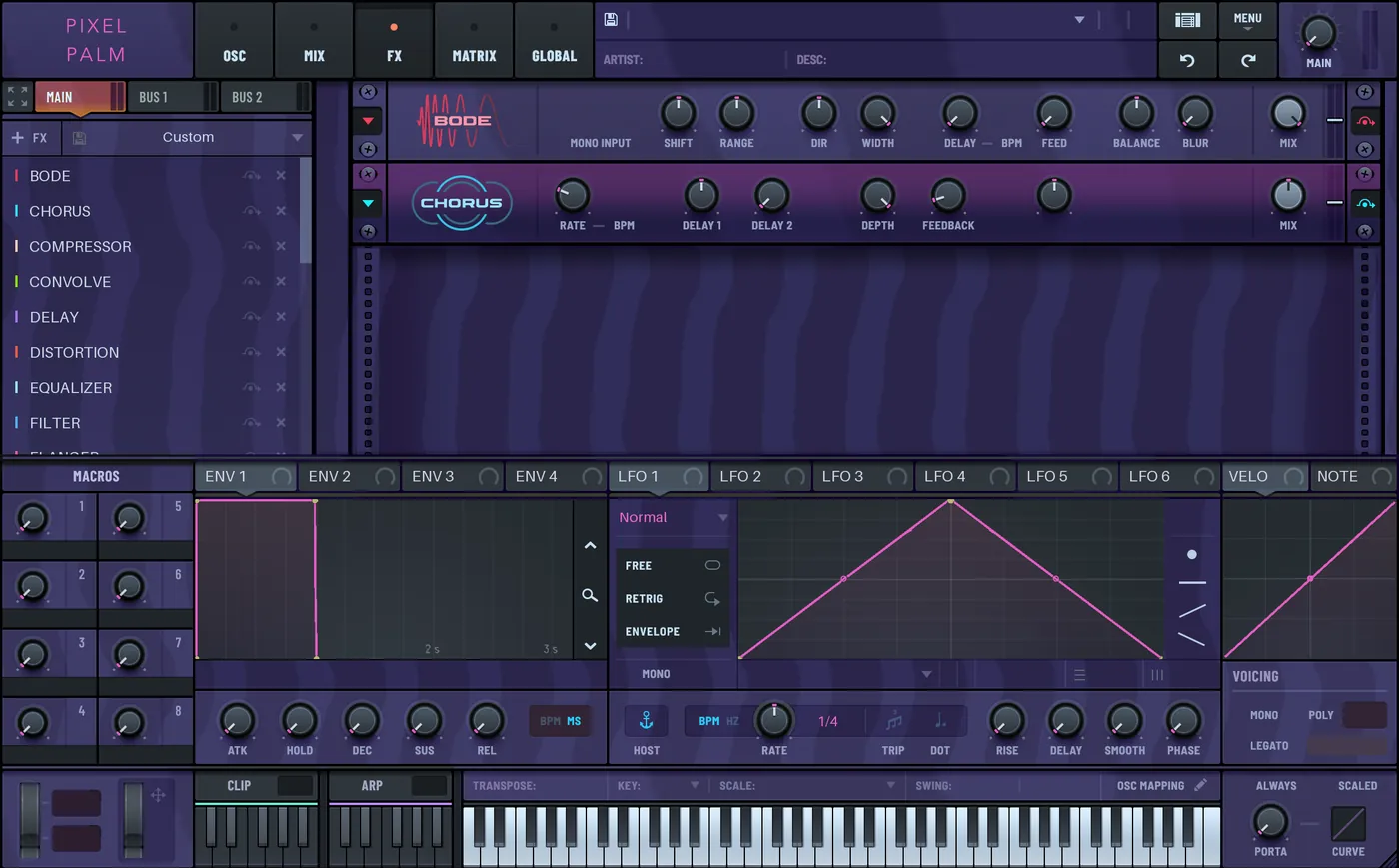
Some Serum 2 skins made with Skynthesis

Skynthesis is a small Mac app I made for making your own skins for Xfer Serum 2. Each skin below came straight out of its Skynthesize button, from a logo or just a mood, with no edits by hand. Click one to see it full size.
Mac app · Apple silicon · macOS 15+ · needs Serum 2 · download Skynthesis free

These are the app’s own previews of each skin, made with the current development build and online textures off, so the same seed can come out a little differently in your copy. Skins made from photos, and light skins, aren’t shown here yet. They’ll go up once they look right.

Sharing skins

A skin made in Skynthesis is an ordinary Serum 2 skin: a folder of images in Serum’s Skins folder. To share one, zip the folder and send it. Whoever gets it unzips it into their own Serum 2 Skins folder and picks it from Serum’s skin menu. They don’t need Skynthesis.

Two things to check before you post one publicly. A skin built on Serum’s factory Default still carries some of Xfer Records’ artwork, so sharing it is also subject to Xfer’s terms. And if it uses someone else’s logo or photo, make sure you’re allowed to share that too.

I’d love to see what you make. A Discord is on the way; until then, send it to me.

Why I made Skynthesis

I made Skynthesis because I wanted to make my own themed skin, and after trial and error felt like it was too complex for the average user to make one for themselves. As artists, personalizing our gear, no matter how trivial, gives us our identity, so I wanted to play a part in helping others do just that.

Rock ’n roll 🤘, Chendrix

If something breaks, or there’s something you’d like Skynthesis to do, tell me.

How it works

Start from a logo, a photo, or a mood

Drop in a picture and type a name if you like. Skynthesize takes its colours from your picture and sets the name as the header wordmark. Tick “Use this image in the skin” and it also places your logo as the header emblem, or your photo on one panel. No picture? Pick a mood from the Theme list, or press Surprise me.

There’s no generative AI in it. Skynthesize works from your picture’s colours, a set of curated moods and layout rules, and it runs on your Mac. The one thing it fetches from the internet is fresh CC0 and public-domain textures, and you can switch that off.

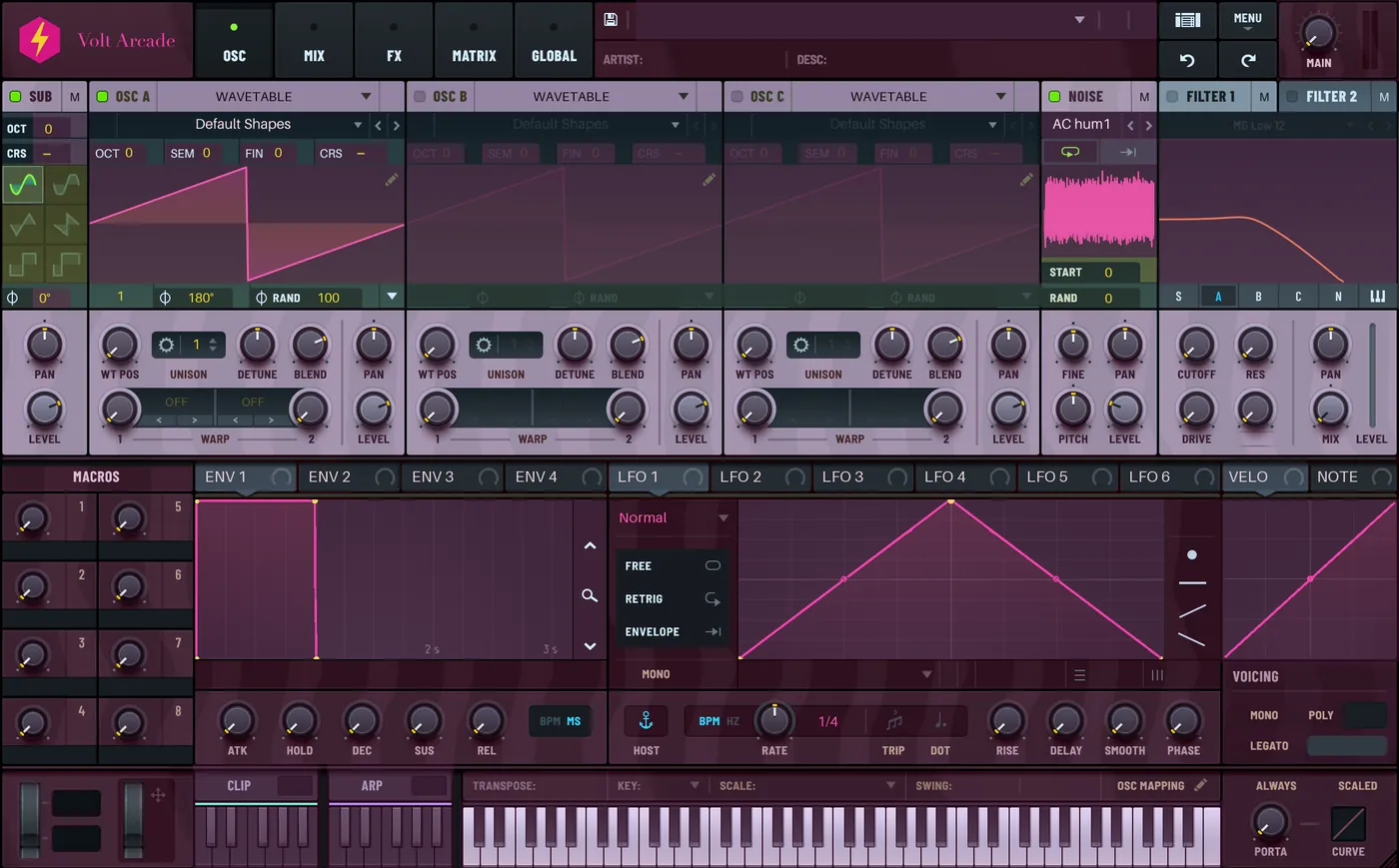
Left, the Skynthesis input step with a lightning-bolt logo and the name Volt Arcade. Right, the Volt Arcade skin it made: the logo and name in the header, pink accents on plum panels.
Left, the welcome tour’s input step with a lightning-bolt logo and the name Volt Arcade. Right, the skin that run made, in the Skynthesis preview.

Then change any part by hand

Click a panel, a knob strip or a screen in the preview and change it. Put your own image in, place an image on top, colorize it, or adjust its brightness, contrast and gamma. An edit can reach just that part, every part like it in the same device or tab, or the whole skin. Undo history lasts as long as the project does.

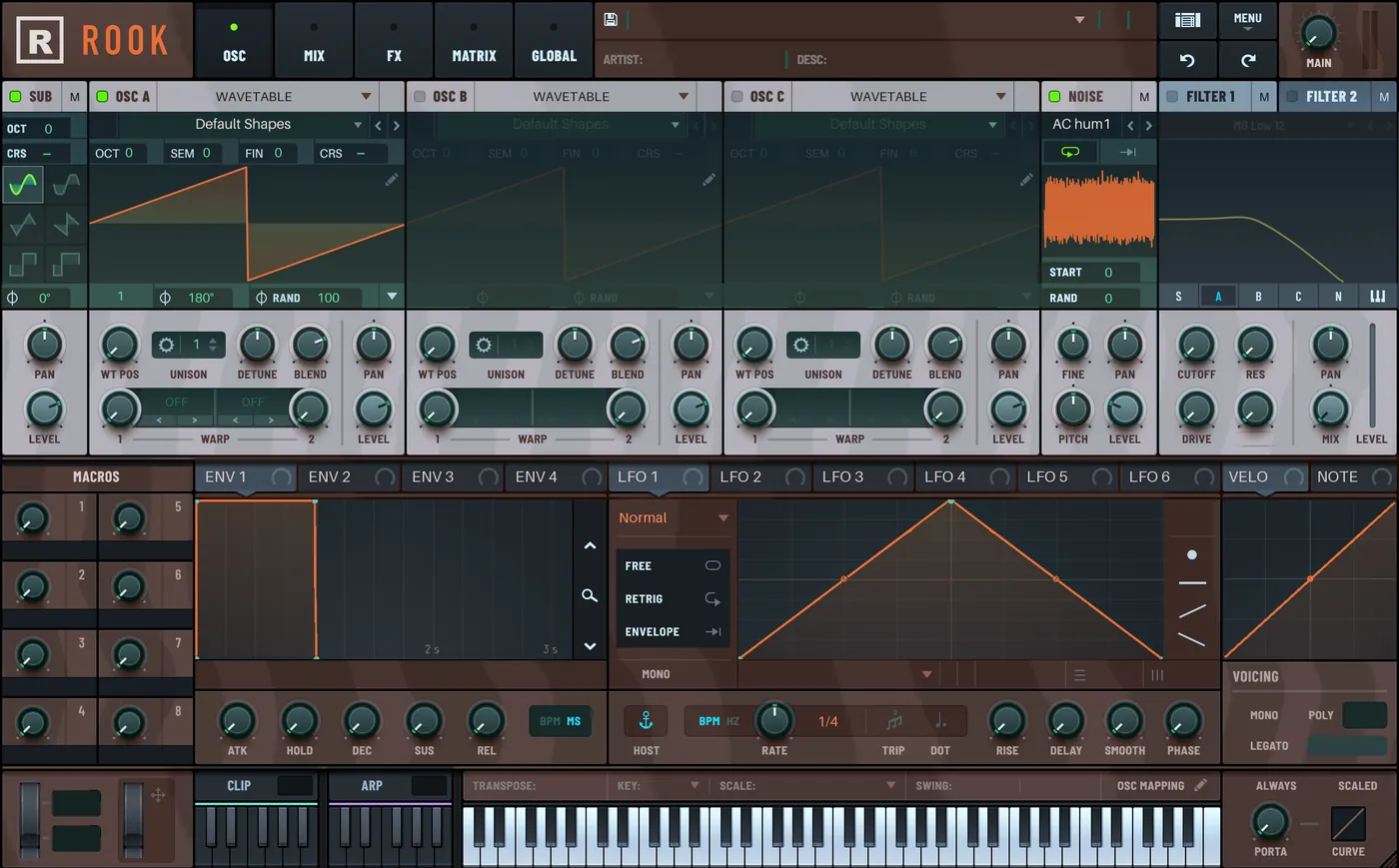
The Skynthesis editor showing the Rook skin with the Wavetable oscillator panel picked, and a close-up of that panel above the start of its list of 30 parts.
Rook in the editor with the Wavetable oscillator panel picked. The close-up lists its 30 parts; on a wide screen you also see it outlined in all three oscillator slots.

Rename the captions

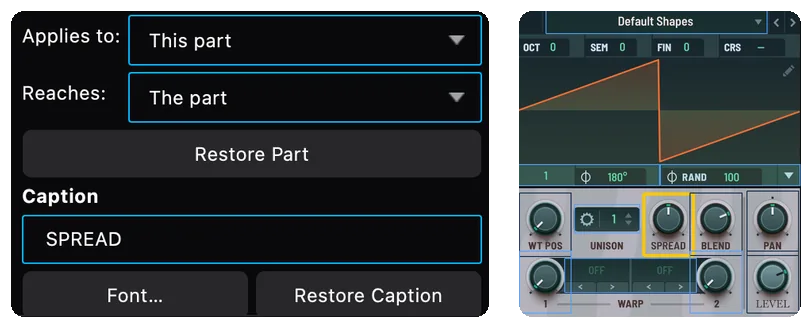
Type a new word for a knob’s caption and pick a font for it. Restore Caption puts Serum’s word back.

The Skynthesis Caption field reading SPREAD, beside the oscillator panel showing SPREAD in place of DETUNE and LEVEL in a serif typeface.
DETUNE renamed to SPREAD, and LEVEL set in Georgia.

Check it in the real Serum 2

Live in Serum 2 shows the actual plugin wearing your skin while you edit. Skins save to Serum’s own Skins folder, so they show up in Serum’s skin menu. Serum’s factory Default skin is never touched.

Thank you, Day one crew

If you installed Skynthesis 0.2 or 0.3 and put up with its rough edges: thank you. You’re my Day one crew, and I’ll be in touch with you directly. If I haven’t reached you, write to me.

Changelog

  1. 0.6.1 free beta fix

    • Fixed a crash that could quit the app while you changed a list, for example the asset browser, a dropdown, or expanding a folder. It happened while another app was reading the window for accessibility, as many launchers, window managers and automation tools do in the background.
    • New: File > Report a Problem… sends a short note straight to the developer, the same as the report form here.
  2. 0.6.0 free beta

    • The editor is free: every editing feature, and 3 Skyntheses to start. Skynthesis Pro (unlimited Skyntheses, US$40 once, not a subscription, on up to 3 computers) is on sale from beta day (US$30 with EARLYSKYN until Mon 2 Nov).
    • A new Finish section in the inspector: gradient, vignette, glow, blur, sharpen, chromatic aberration, film grain and color grade, baked into the part you pick.
    • Skynthesize can use a folder of your own photos: mark a folder as your photos, and it picks the ones that fit the theme and each other. They stay on your Mac.
    • Photo skins can place your picture on more than one deck, and captions pick an ink that stays readable on it.
    • Selection boxes are tighter: Undo and Redo, the browser and menu plates, the FX screens and the narrow keys are boxed more exactly, and the main preview picks the key you click.
    • Knobs turn through their own spin strips, and knob rings and shadows are fixed.
    • In the preview, the pitch and mod wheels rest where Serum rests them, and the bend-range boxes show 2 and −2.
    • Undo and Redo restore a project exactly.
    • Needs macOS 15 or later.
  3. 0.5.0 built

    • Generate from your own logo or photo, with your name as the header wordmark. A welcome tour walks you through it.
    • Rename knob captions and set their font.
    • On a photo skin, the knobs keep their rings and shadows on top of the picture.
    • The inspector sits under the previews by default (View › Inspector Below Previews).
    • Free and Pro are in place, but Pro wasn’t on sale yet, so Generate had no limit.
    • There was no public 0.4.0. This replaces it.
  4. 0.3.1

    • Faster editing: a slider nudge decodes 1 image instead of 173, and dragging on a big panel no longer freezes the window.
    • A long list of fixes, including a crash in Match Skin Colours, Undo being allowed while Generate ran, and Live in Serum 2 sometimes showing the previous skin.
    • Updates now come from updates.skynthesis.app.
  5. 0.3.0

    • Generate arrives: Surprise me, dice, and textures from CC0 sources.
    • Whole-skin Colorize tints the panels, not the knobs. Filter colours recolour the response curve.
    • Init Skin goes back to your project’s base.
    • First copies of 0.3.0 went out by key, from a waitlist.
  6. 0.2.5

    • Check for Updates waits longer, and when a check fails it says why.
  7. 0.2.4

    • Colour the keyboard key by key, by note or by colour. Tinting a screen reaches all of it. A rare crash is gone.
  8. 0.2.3

    • The preview lines up more closely with Serum: every knob pointer centred, and the wavetable and the filter curve placed in their displays.
  9. 0.2.1

    • Serum’s own colours preview by name, including the LFO and envelope curves.
  10. 0.2.0

    • The one-mode editor: pick any part and widen to its device or the whole skin. Place your own image anywhere, start from seven starter looks or a blank skin, and get updates inside the app.

Download free

The free beta (0.6.1) is out. The editor is free: every editing feature, and 3 Skyntheses to start. After you install it, updates come from inside the app. It’s a beta, so if something breaks, tell me.

Your download starts as soon as you send it. I’ll only use that address to write to you about Skynthesis, and I’ll delete it whenever you ask.

Mac + Serum 2: Apple silicon, macOS 15 or later, and Xfer Serum 2, sold separately. No generative AI. Not affiliated with Xfer Records.

The editor is free: every editing feature, and 3 Skyntheses to start. Skynthesis Pro, with unlimited Skyntheses, is a one-time US$40 (US$30 with EARLYSKYN until Mon 2 Nov), not a subscription. One Pro key works on up to 3 computers at a time and covers every future version, including every update to Skynthesize. If it isn’t right for you, you can get a refund within 7 days.

Pro is sold at skynthesis.app/buy through Stripe Managed Payments, so the sale shows as “Sold through Link”, and Link sends your receipt and handles sales tax and VAT. Your key shows on the page right after checkout, and the app unlocks itself if you clicked Buy in it. The terms and the refund policy have the details.

What leaves your Mac

Every skin is made on your Mac. Your pictures, logos and projects are never uploaded, and there’s no account, analytics or tracking. This is the complete list of what the app sends, and the app’s test suite checks each line.

WhenWhat is sentTo
Skynthesize looks for fresh textures (on unless you untick Online under Sources) A theme search word, like velvet or neon, with the app’s name, version and release-page link (a picture fetched from another site gets only the app’s name) Poly Haven, the Art Institute of Chicago, Openverse, and the sites Openverse results link to
The app checks for an update The app’s name and version, nothing else updates.skynthesis.app
You buy, activate, deactivate or download Pro content (after Buy, the app asks every 5 seconds for up to 30 minutes), and at launch once a week has passed since the last license check, or while a purchase or refund is settling The license key (or purchase claim), random install ids and the app’s version skynthesis.app, our own license server
Before each free Skynthesize (Mac, from version 0.6.0) A random one-time ID and a device token macOS makes for this Mac skynthesis.app, which passes the token to Apple DeviceCheck. Apple keeps the free-run count for this Mac. We keep none of it.
Your images, logos, names and projects Never sent —

Pictures downloaded for textures are CC0 or public domain only. Apple’s on-device Vision framework checks them on your Mac (for faces, text and labels) before they are used. Full details are in the privacy policy.

Questions

Does Skynthesize use generative AI?
No. Skynthesize is procedural: it works from your picture’s colours, a set of curated moods, and measured layout and contrast rules. The only machine-learning code involved is Apple’s on-device Vision, which checks downloaded pictures for faces and text. It generates nothing.
Will it change Serum’s own Default skin?
No. Skynthesis writes new skins to Serum’s Skins folder and never modifies the factory Default.
Is Skynthesis made by Xfer Records?
No. Skynthesis is an independent tool and is not affiliated with or endorsed by Xfer Records. Serum is a trademark of Xfer Records.
Is there a Windows version?
Coming soon. The Mac app comes first, and a Windows preview should follow within days. It will edit, Skynthesize and save skins straight into Serum 2’s Skins folder, like the Mac app, with a few differences at first. Preview in Serum and Live in Serum are not on Windows yet. Skynthesize uses fewer stock photos, because the checks that vet downloaded pictures run on Apple’s Vision. And the early build is not code-signed, so Windows SmartScreen will warn you the first time: choose More info, then Run anyway. A Pro key unlocks up to 3 computers, Mac or PC.
Something broke. Where do I write?
The contact page has the address and what to include.